
Armrest*

For front seat
The armrest can be adjusted to the desired position.
To return the original position, tilt the armrest backward until it clicks and raise it forward.
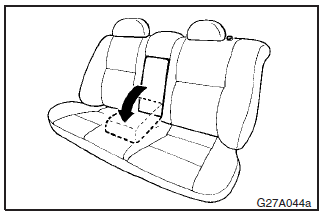
For rear seat
Tilt the armrest for use as shown in the illustration.
See also:
Suitability for various seating positions
Key of letters inserted in the above table:
U – Suitable for “universal” category restraints approved for use in this mass
group. UF – Suitable for forward–facing “universal” catego ...
To unlock the doors and rear hatch
You can select the function to unlock the doors and rear hatch either using the
ignition switch position or using the selector lever position (CVT) or the gearshift
lever position (Twin Clutch SST ...
Possible driving speed (Except for vehicles with Sports mode)
In order to avoid damaging the engine due to excessively high rpm, do not exceed
the possible driving speed when the selector lever is set to the “3” (THIRD) position,
the “2” (SECOND) pos ...